
It’s been a hot minute since I have posted online. My last post was 426 days ago lol. So what I have been doing, what has been going on with this amazing Threadripper? Well, to be honest, I have been living in AI land. I originally got into AI to pick my scope, and I think it worked out when I went to Texas, as I was able to capture the most Amazing Dragons! I still can’t believe I captured them at 11°; it still blows my mind to this day, which is over a year later!
https://app.astrobin.com/i/gqqjuy

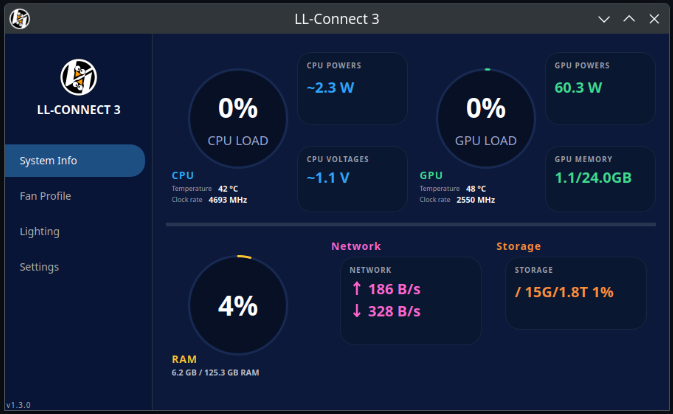
So where does that leave the Threadripper? Well, after owning it now for almost two years, come September, which feels like it’s right around the corner, it’s a little bittersweet. With RAM prices the way they are, I feel like I could sell this rig and probably make a profit on it, but I also love it dearly as it’s so powerful and so quick. Were it’s bitter is the fact that Linux is not designed to really run on this system. First, I have the Lian Li fans, and they are not supported by Linux unless you plug them into the motherboard, and let’s be real, no one is doing that or shouldn’t be lol. There is some open-source solution for them, but it’s not great. So what is a tech nerd to do? Write the drivers; that’s what!
So I went to town with Windows and installed Wireshark and then ripped all the commands from the fan’s USB controller and took the PCAP’s and had AI tear em all apart. What I was left with was a full working driver AI wrote from the PCAPs, and then I had it build me an app so it all worked like the stock Windows version, and then I released it to the public as open source, and it then lots of people got excited for it and then I released it on a bunch of flavors of Linux to boot, get it boot…..OMG hahaha!
https://github.com/joeytroy/ll-connect3
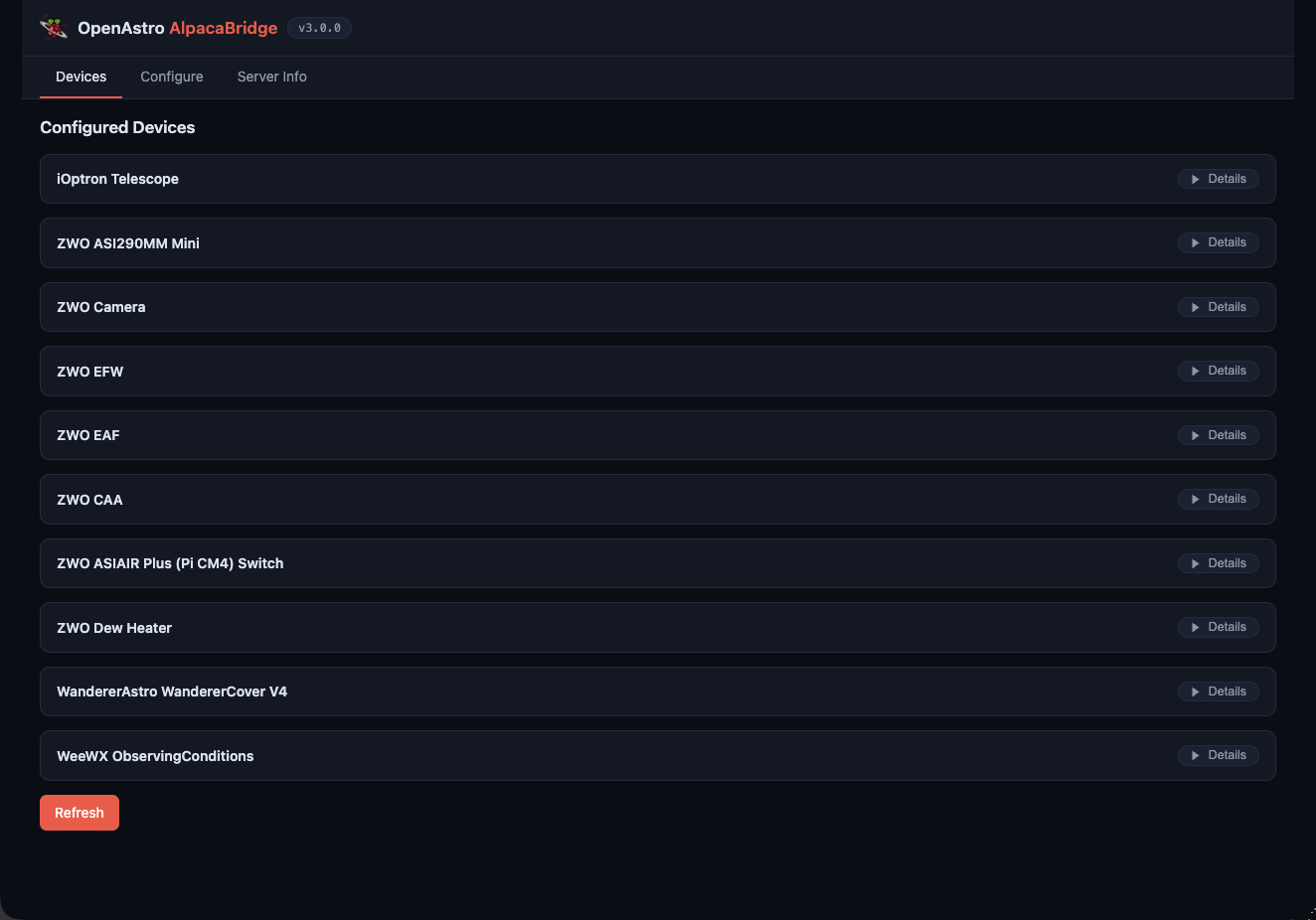
After that crazy ordeal, I then decided to start work on AlpacaPi, written by Mark Sproul, and again used AI to get to work on the project. I was able to release one version of it, but since I was ripping apart a lot of Mark’s code to get to just the ASCOM Alpaca standard for imaging using N.I.N.A, I took a step back and rolled the dice again with AI. I started a new suite based on just the ASCOM Alpaca API with a simple web front end, and you’re left with AlpacaBridge, which I created in December 2025 https://github.com/open-astro/AlpacaBridge. There are more details in the link on what it all does, but think ASCOM drivers that you can run from an SBC using Debian 13 Trixie, and you don’t need Windows at the mount any more! POW!
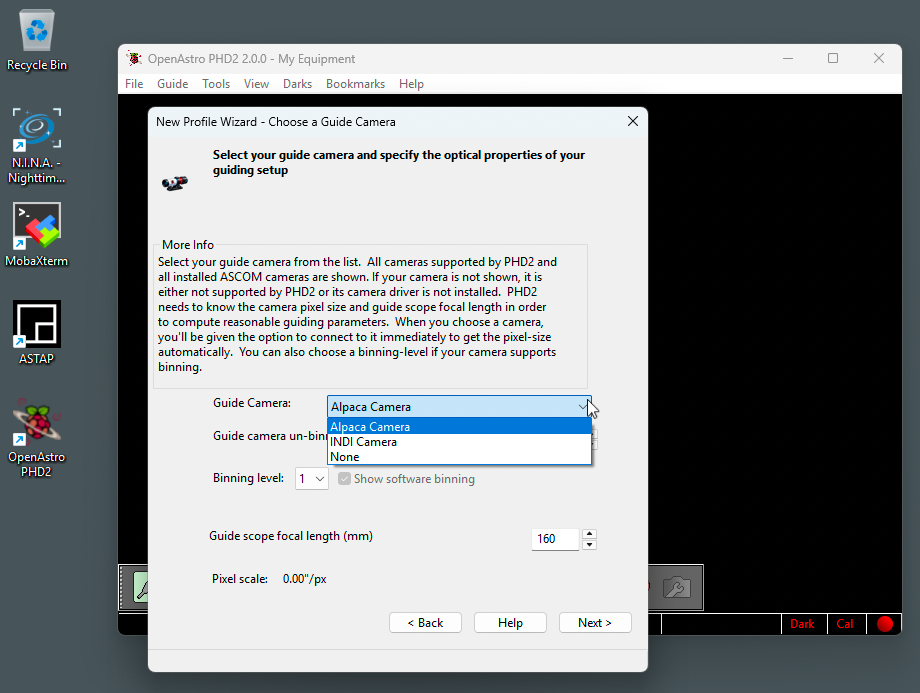
AlpacaBridge is awesome, but one issue was I needed a guider, and there are no ASCOM Alpaca guiders, so I forked PHD2 and added ASCOM Alpaca to it. I decided to forge my own project and started fresh with my own version of PHD2 called Open Astro PHD2 https://github.com/open-astro/openastro-phd2. Again, my trusty Threadripper to compile and spit out software before I could say…done! The version of Open Astro PHD2 has been stripped of all internal drivers from vendors, updated to C++20, and all the other libraries being used have been upgraded to the most current version, which also resolved some CVE issues as well…eeeek! It runs better and faster than before, and I also released a macOS Silicon version and Linux version as well. It supports Alpaca and INDI, and I plan to add back ASCOM COM support as well in the next version 2.0.1 so Windows users can use ASCOM Alpaca or ASCOM COM, but again all the stock drivers PHD2 installed will not be there so users will need ASCOM installed and ASCOM Drivers from vendors in the event I do not have an ASCOM Alpaca driver written for their camera.
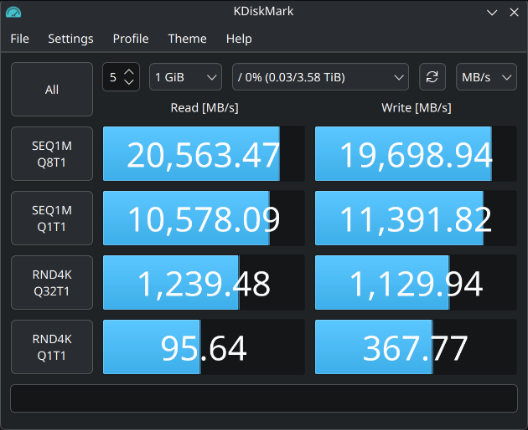
So at this point I was back in love with the Threadripper, but there has been a terrible pain in my side. The pain is called Windows, because let’s face it, Windows 11 sucks! Also, I bought two lovely Crucial T700 2TB PCIe Gen5 NVMe M.2 SSD drives, and I wanted to set them in a RAID0, but guess what? AMD does not support Linux drivers for their onboard RAID Controller?!?!?! WTF AMD!!! I contacted them and asked them very nicely if I could have access to their SDK so I could build drivers just like I have been doing with AlpacaBridge, but they blew me off.
Sad times for sure, which means the Threadripper hardly gets used. Most of my work is done on my MacBook Pro or Mac mini. Unless I need to compile something on Windows. Somewhere in the last 426 days, I used OpenAI Codex and decided to take matters into my own hands and tried my hand at Ghidra https://github.com/nationalsecurityagency/ghidra, which is written by the NSA!
With this amazing software and some Codex in the beginning, I worked on building the driver, but sadly I didn’t get very far, as Codex and GPT5 kept sending me on wild goose chases. As the story progresses, I kept working on AlpapaBridge and let the RAID driver sit on the back burner. I eventually dropped OpenAI and packed my bags and moved to Anthropic. Opus helped me continue to write drivers for astronomy gear. With its help, the repo has grown so much, and I have added skills that build drivers in minutes compared to hours with OpenAI. Also, with the skills Opus follows the ASCOM API https://ascom-standards.org/api/, it builds C++ Catch2 test files and also runs checks against the driver with the ASCOM ConformU tool https://github.com/ASCOMInitiative/ConformU, which is ASCOM’s tool to make sure drivers meet the ASCOM standard!
Now, seven months later, I have gotten to the point where I reached out to vendors and now astronomy vendors are involved, sending me gear so I can build ASCOM Alpaca drivers for the masses https://scopetrader.com/open-astro-project-expands-alpaca-bridge-astronomy-hardware-support/ and the list has grown from ZWO (which I own) to now iOptron, Player One Astronomy, QHY and ToupTek Astro and I now am working with Wanderer Astro as well and have more gear incoming!
All these astronomy drivers and still no RAID driver, though. So I decided to take advantage of Opus since you can have it take full control of the OS, and guess what? The driver finally started working! Opus just used Ghirda from the command line and started ripping apart the Windows .dll’s. I also started using Fable 5 when it first released before the Government shut it down and got the driver about 80% working, but not perfect. Now that Fable is back, I used a little of my time with it so I could get the driver working. After a handful of hours with Opus and Fable, I now have a released working RAID0 driver for Linux https://github.com/joeytroy/amd-raid-driver
Oh, and it is so freaking sweet as my system drives run like a monster under Linux!!!
Once I got that all setup I released a script to install NVIDIA + CUDA + cuDNN + PixInsight for Kubuntu 24.04 and 26.04 LTS https://github.com/joeytroy/pixinsight-linux-cuda. I will say 24.04 is OK, but 26.04 is like super sexy now that it’s running the newer version of KDE!
So what have I learned in the last several months using AI in tandem with my Threadripper? There is nothing, and I mean nothing, that can stop me from taking advantage of my Threadripper anymore! No drivers? No problem! I will simply build my own and make them work one way or another!

Till next time, Clear Skies!